Case study 04 / 04 · Document Manager
CASE STUDY 04 / 04
Design leadPrivacy by designUI/UX QA

Share deal documents only with the people who should see them.

Recipient-based sharing with clear access and deletion states, with consent recorded before anything is uploaded or shared. I translated the PM’s brief into a design solution with my team and reviewed the UI and UX during QA.

Role
Design lead · UI/UX QA
Worked with
PM (brief), design team
Status
Design · UI/UX QA
Platform
Web · buyers & sellers
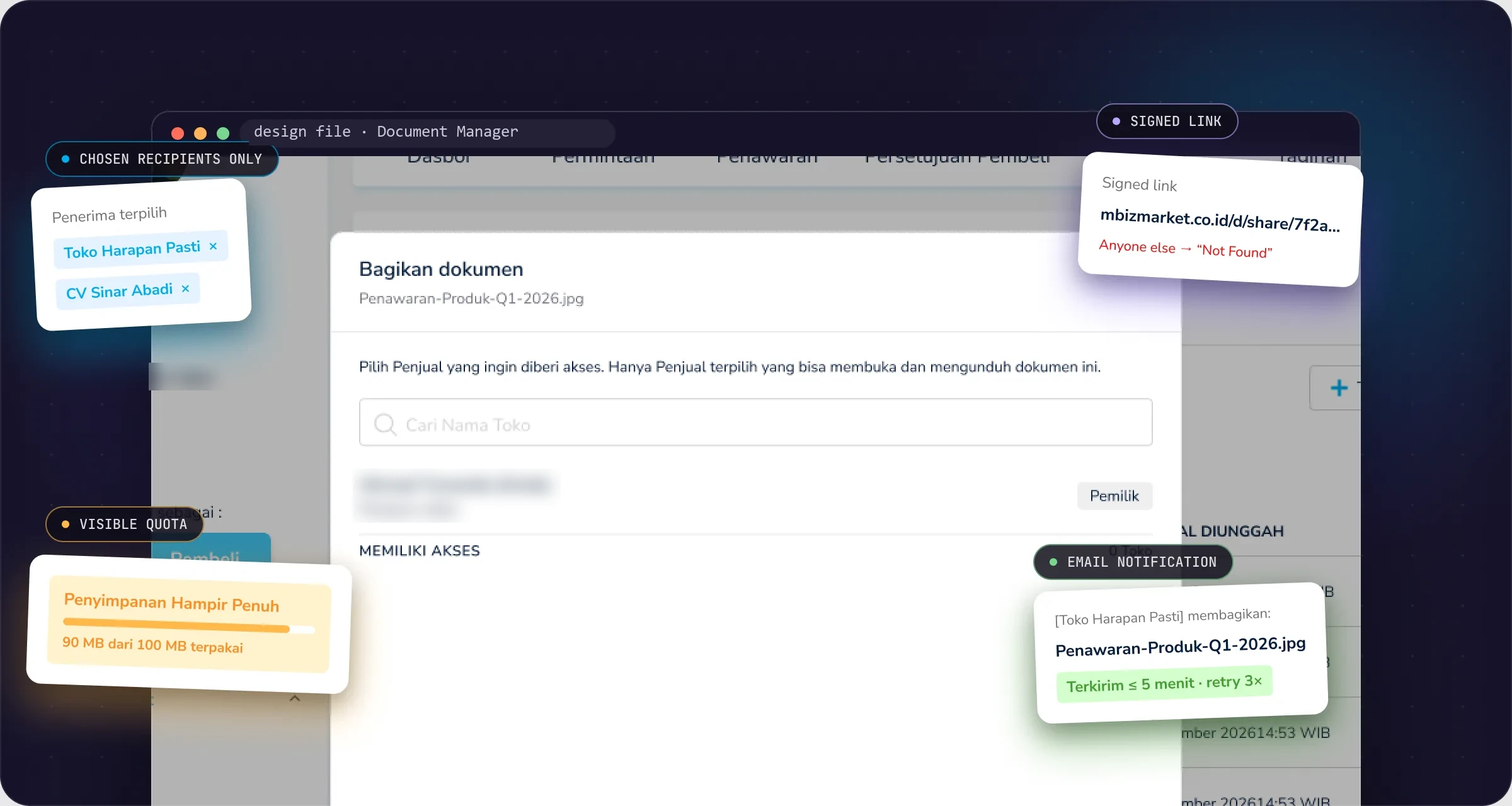
Document Manager: annotated product screen

Annotated screen from the Document Manager design file. User details are blurred; store names are sample data from the file.

The 30-second version
The problem

Deal documents had no shared home on the platform, with no record of who could see what.

My contribution

I turned the PM’s brief into a design solution with my team, then reviewed the UI and UX during QA.

Status

Design and UI/UX QA. Production metrics are not included in this case study.

Who it’s for

Both sides send, both sides receive.

Every procurement deal comes with paperwork: quotes, contracts, purchase orders, certificates.

B

Buyers

Upload documents and share them with specific sellers.

S

Sellers

Do the same with buyers, using the same flow.

R

Recipients

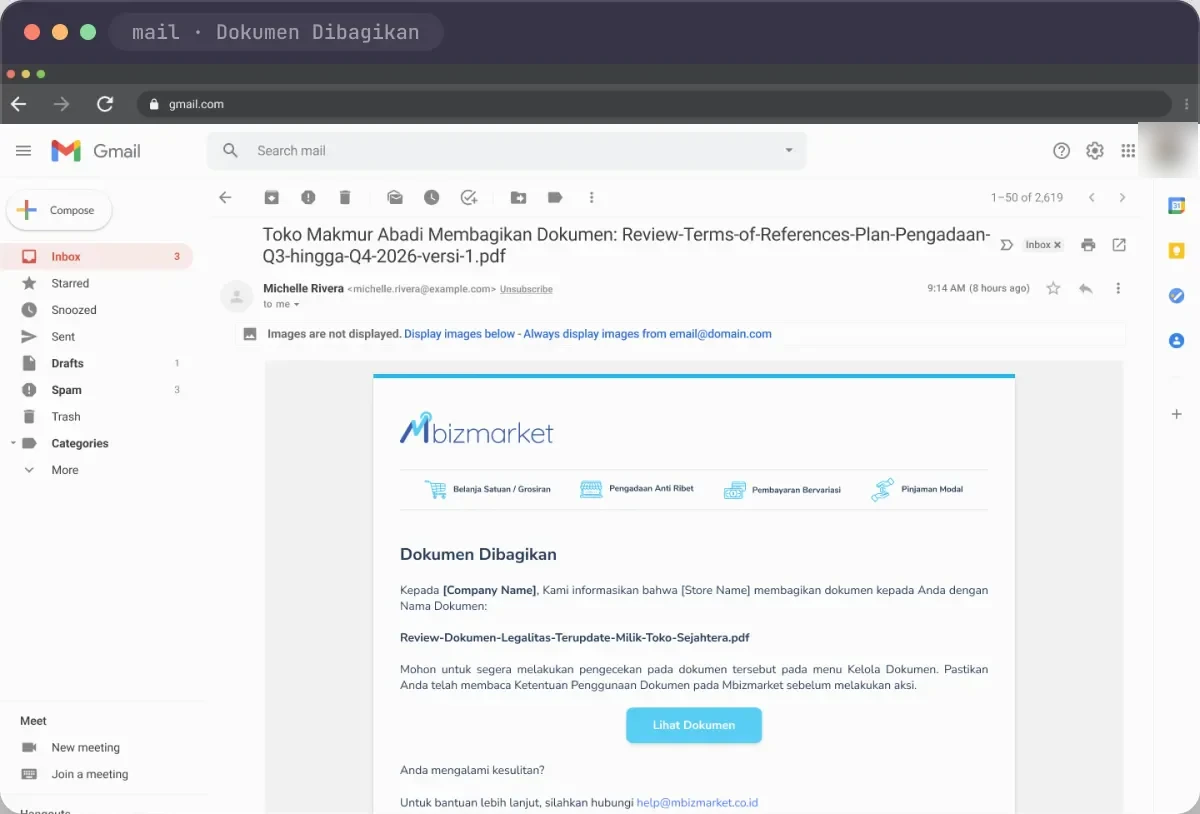
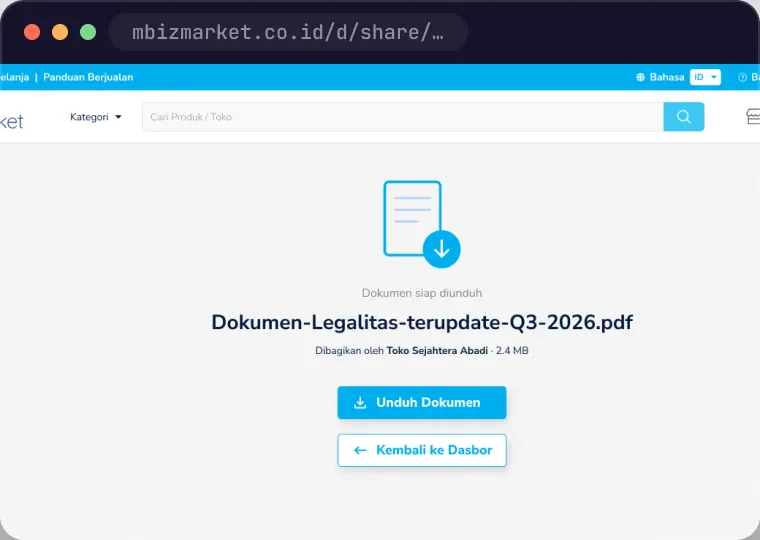
Get an email, open the link after logging in, then download.

The problem

Business need, user need, design response.

Documents can contain personal data, links get forwarded, and a downloaded file can’t be pulled back.

Business need

One place for deal documents

Buyers and sellers store and share documents on the platform, with consent recorded and access tied to specific stores or companies. 10 MB per file, 100 MB per company.

User need

Know who can see a document

Senders need to pick the right recipient and understand what sharing and deleting mean. Recipients need to know what arrived and from whom.

Design response

Consent, named recipients, one delete

Consent before first use, recipients chosen by store name, links that open only for them, and one delete that revokes every link.

Role, team & status

My contribution and collaboration.

This was team work: the design solution came from my team, starting from the PM’s brief.

My part

Brief to design, then QA

Translated the PM’s brief into a design solution with the team, and reviewed the UI and UX during QA.

Design team

Design execution

Designed the solution with me.

PM

Brief

Set the brief the design worked from.

Key decisions

Three decisions in the design.

01

Consent first, features second.

The call
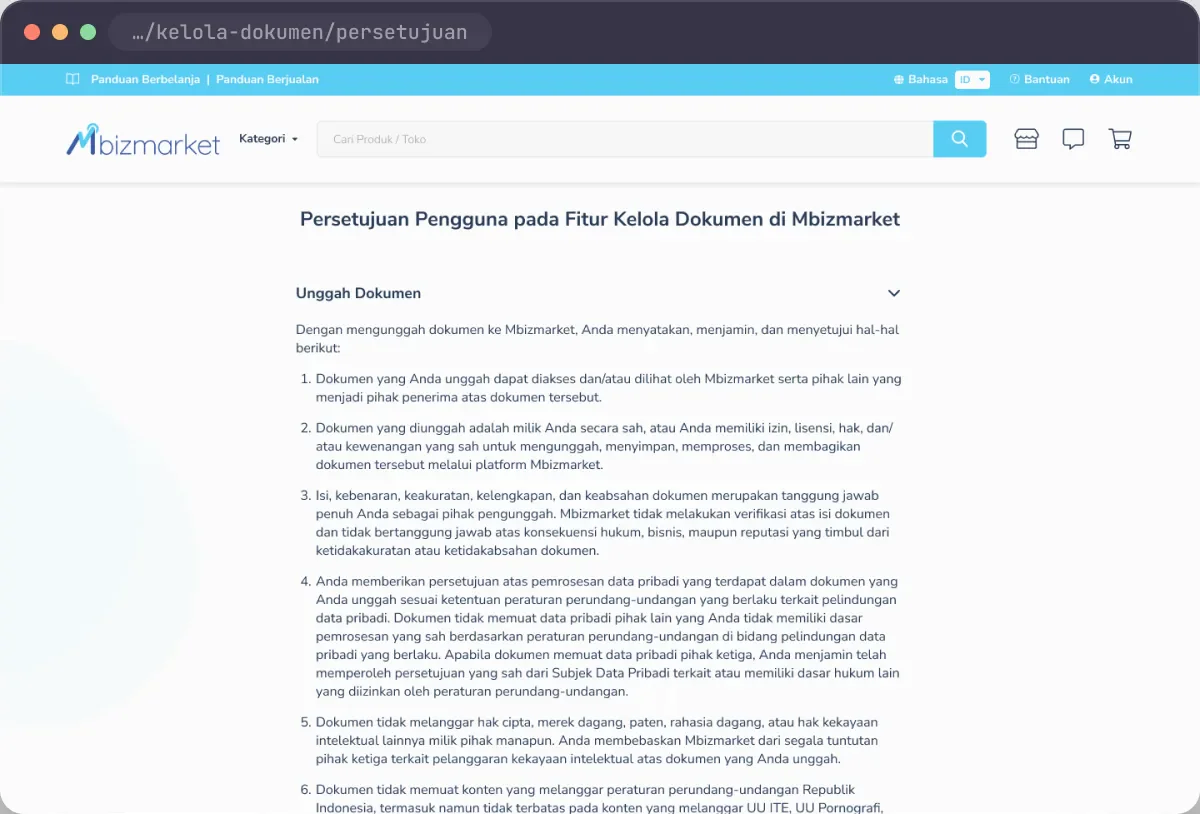
The first visit opens a consent screen split by action: Upload, Share, Download. Two checkboxes have to be ticked before the button unlocks. Later visits show a read-only version with the time of consent.
Why
Users need to understand their responsibility first, and consent needs a record.
For comparison
A terms link users can skip.
Trade-off
One extra step on the first visit, grouped by action so it doesn’t read as a wall of terms.
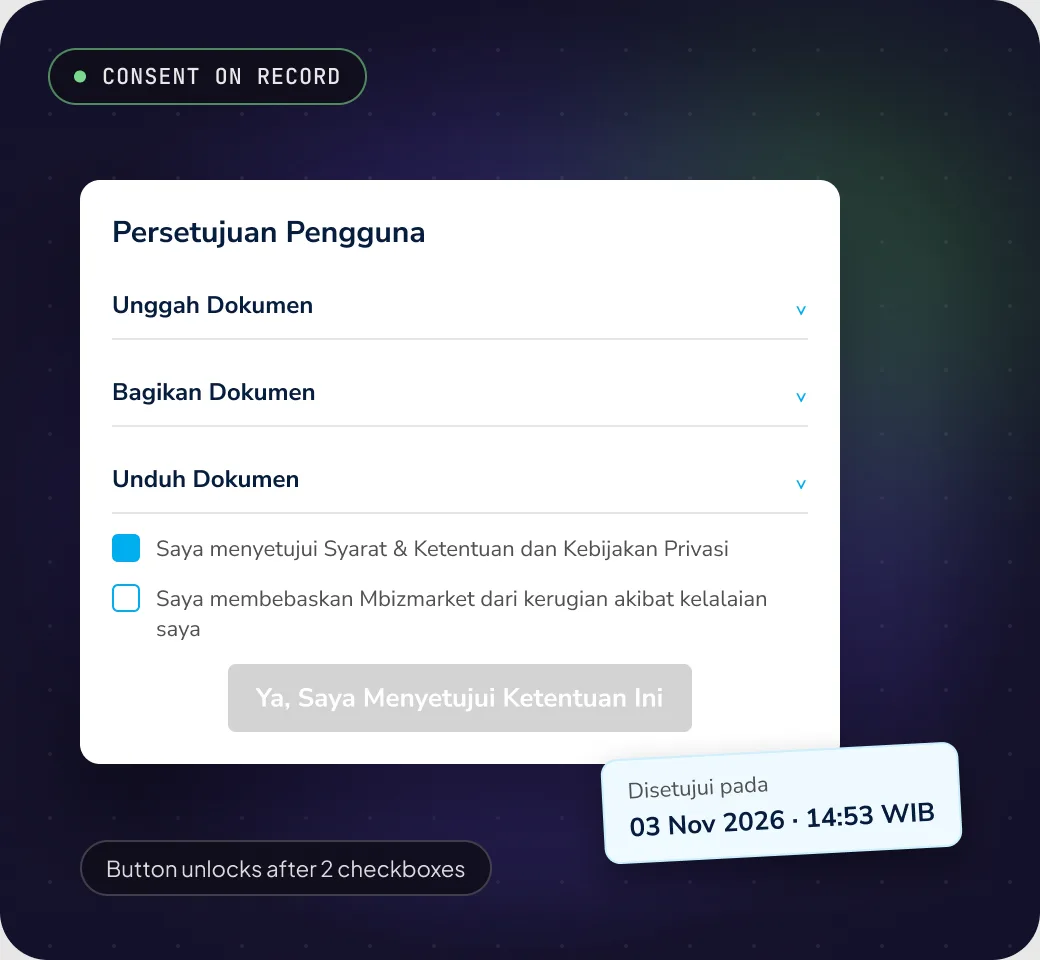
Decision 1: Consent first, features second.

Illustration made for this page from the design file, in Indonesian.
02

Share to a store name, not to whoever has the link.

The call
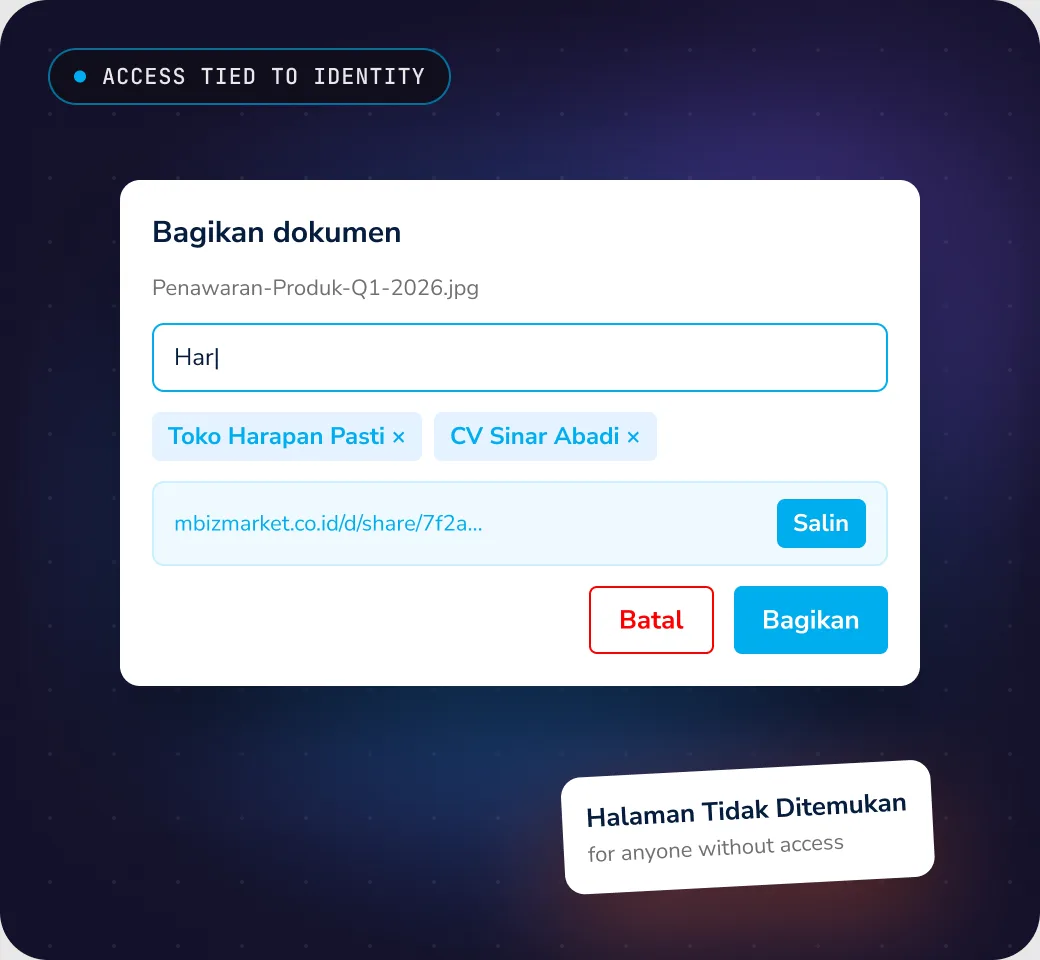
Recipients are picked by typing at least 3 letters of a store or company name. The copied link only opens for chosen recipients who are logged in; everyone else sees Not Found.
Why
Tying access to the recipient’s identity makes “who can see this” clear from the start.
For comparison
A public link anyone with the URL can open.
Trade-off
Recipients have to log in, and the link can only be copied after choosing them.
Decision 2: Share to a store name, not to whoever has the link.

Illustration made for this page from the design file, in Indonesian.
03

Delete means revoking everyone’s access.

The call
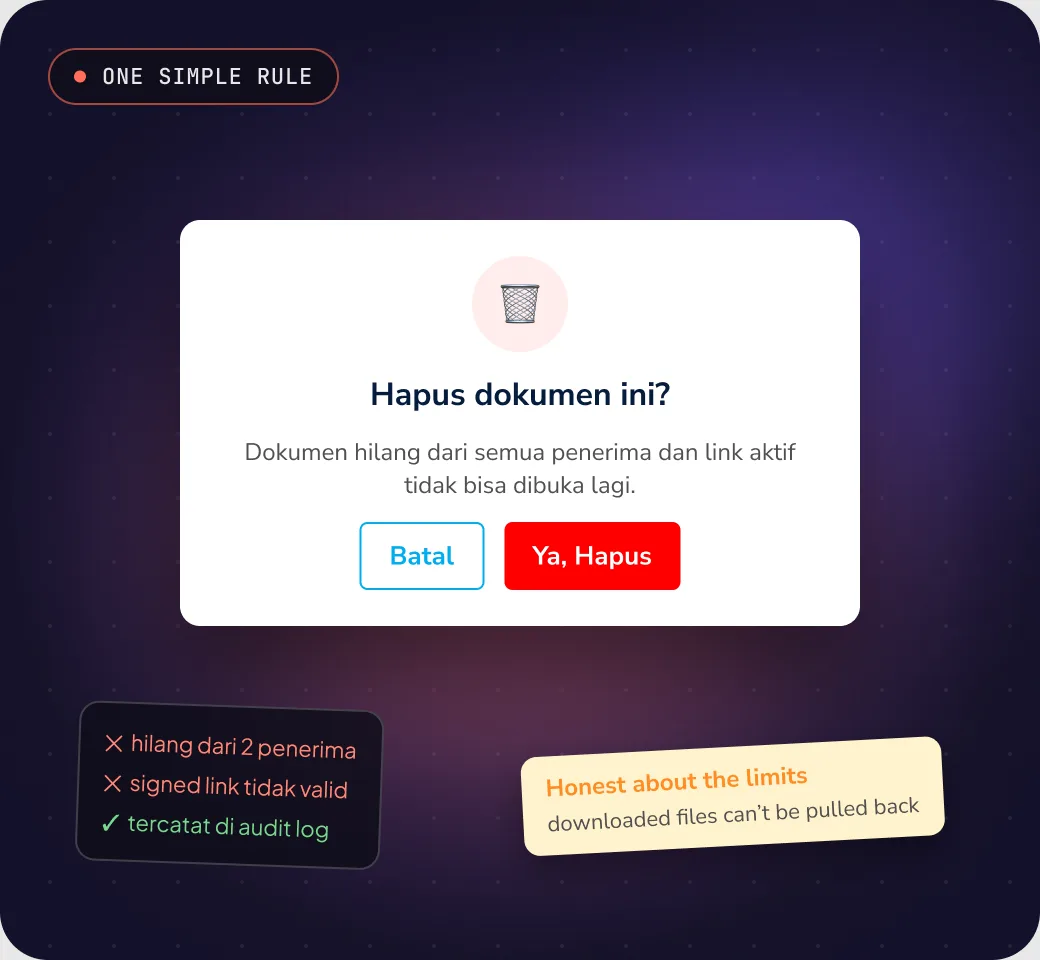
There’s no per-recipient unshare. Deleting a document removes it for everyone and kills every active link. The confirmation says files already downloaded can’t be pulled back.
Why
Unsharing one person suggests a control that doesn’t exist once a copy is downloaded.
For comparison
Removing recipients one by one.
Trade-off
To remove one recipient, you delete and share again with the others.
Decision 3: Delete means revoking everyone’s access.

Illustration made for this page from the design file, in Indonesian.
Testing & results

QA, outcome and what to measure.

My QA role, what the design covers, and the indicators worth tracking. Production metrics are not included in this case study.

QA

UI and UX review

I reviewed the UI and UX during QA.

Design scope

Sharing flow

Consent, upload, share, notification email, download, delete, quota warning and error states are covered in the design and the feature documentation.

Measure next

Sharing success and access

Successful shares, wrong-recipient mistakes, and whether people understand who has access.

Looking back
Every download is a copy you can’t take back.

In-browser preview is the most useful next step for privacy: fewer downloads, fewer copies outside the platform.

Screens

From first consent to the recipient’s inbox.

Screens from the Document Manager design file, shown in browser frames. User details are blurred.

Landing & consent
01Landing & consent
Notification email
02Notification email
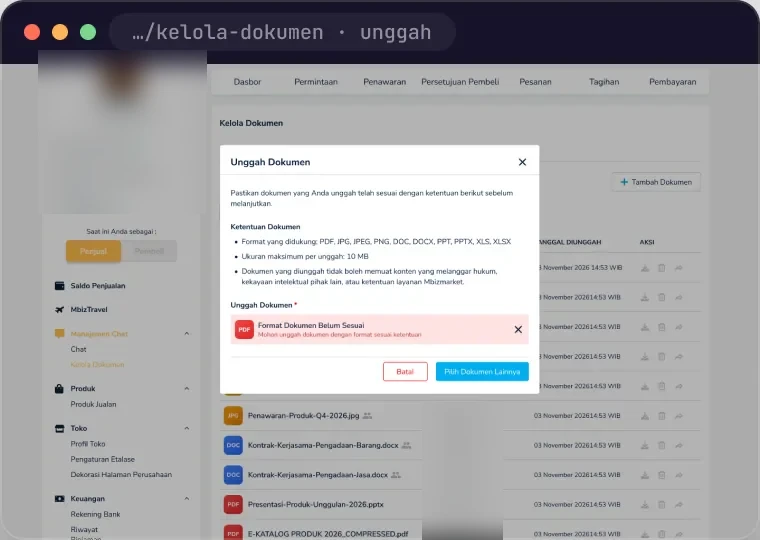
Upload error
03Upload error
What outsiders see: Not Found
04What outsiders see: Not Found