Case study 03 / 04 · Order Addendum
CASE STUDY 03 / 04
Design leadInteraction designUI/UX QA

Change an order’s quantity without cancelling the PO, within a set limit.

Buyers can request quantity changes on an existing PO, with seller approval and a recorded change history. I translated the PM’s brief into a design solution with my team and reviewed the UI and UX during QA.

Role
Design lead · UI/UX QA
Worked with
PM (brief), design team
Status
Design · UI/UX QA
Platform
Web · mobile · admin panel
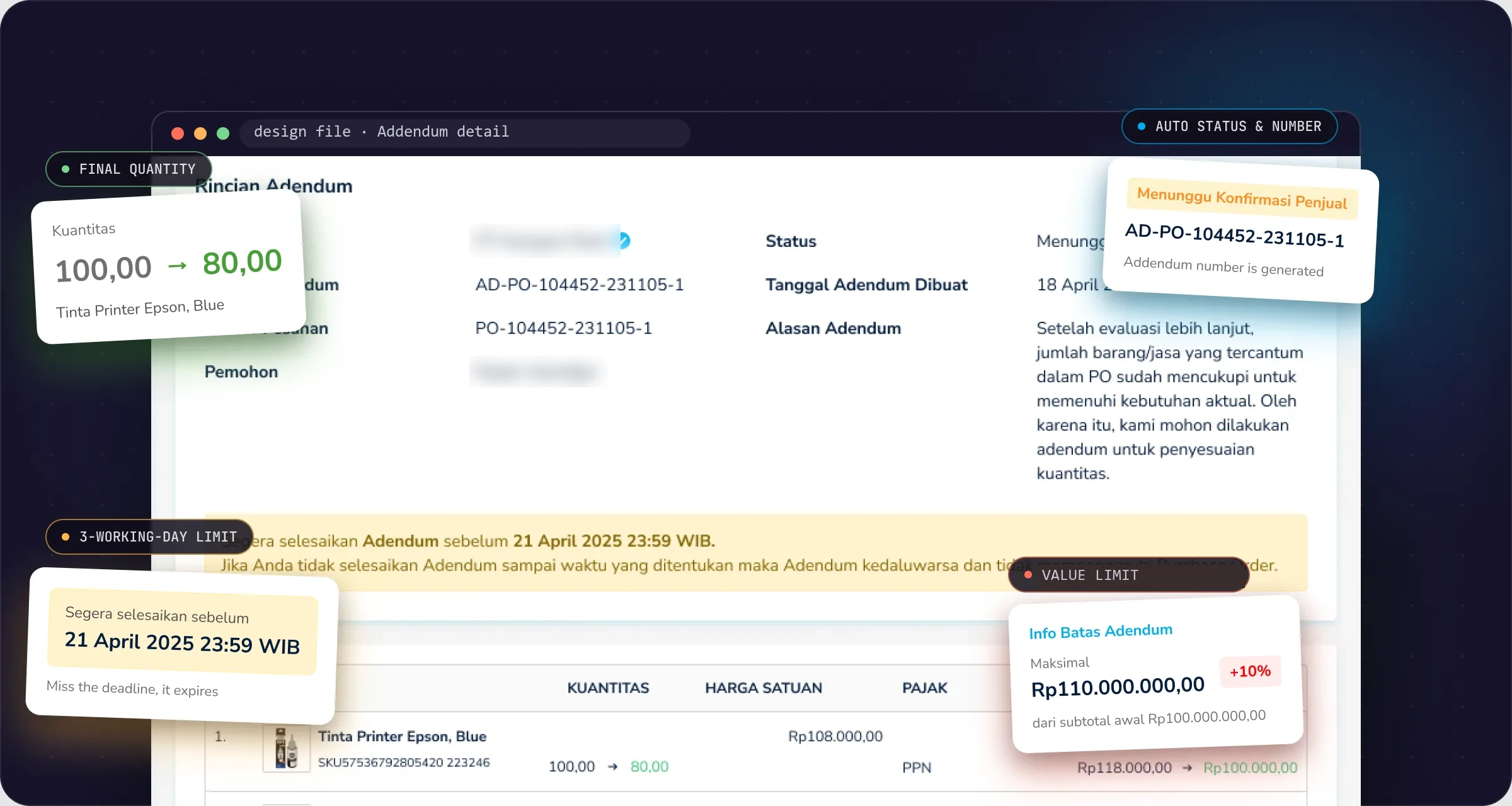
Order Addendum: annotated product screen

Annotated screen from the Addendum design file. Names are blurred.

The 30-second version
The problem

Without an addendum, changing a running order meant cancelling it and ordering again, even when part of the goods had already shipped.

My contribution

I turned the PM’s brief into a design solution with my team, then reviewed the UI and UX during QA.

Status

Design and UI/UX QA. Production metrics are not included in this case study.

Who it’s for

One change, three parties who need to know.

Government orders often need adjusting once they’re running: what arrived turns out to be enough, or the need grows.

B

Buyers

Commitment officers or managers who request the change.

S

Sellers

Store admins who accept or decline within a deadline.

M

Mbizmarket admins

Follow every addendum from the admin panel.

The problem

Business need, user need, design response.

An addendum changes a contract that is already moving: goods may be in transit and an invoice may already be out.

Business need

Change quantities without a new PO

Buyers change the quantity on a running PO, sellers approve, and every change is recorded. Increases are capped at +10% of the subtotal.

User need

Know the room to move

Buyers need to see what was ordered, received and shipped, and how far they can go. Sellers need a clear decision within a deadline.

Design response

Final quantity, visible limit, one decision

Buyers type the final quantity with the limit in view, and sellers accept or decline.

Role, team & status

My contribution and collaboration.

This was team work: the design solution came from my team, starting from the PM’s brief.

My part

Brief to design, then QA

Translated the PM’s brief into a design solution with the team, and reviewed the UI and UX during QA.

Design team

Design execution

Designed the solution with me.

PM

Brief

Set the brief the design worked from.

Key decisions

Three decisions in the design.

01

Type the final quantity, not the difference.

The call
The quantity field takes the final number, with − and + buttons. The original, received and in-transit quantities sit under each product.
Why
The PO, invoice and addendum document all record the final number, and typing a difference invites mixing up adding and reducing.
For comparison
Typing the change (“+2”, “−3”).
Trade-off
People used to thinking “add 2” need a moment to adjust.
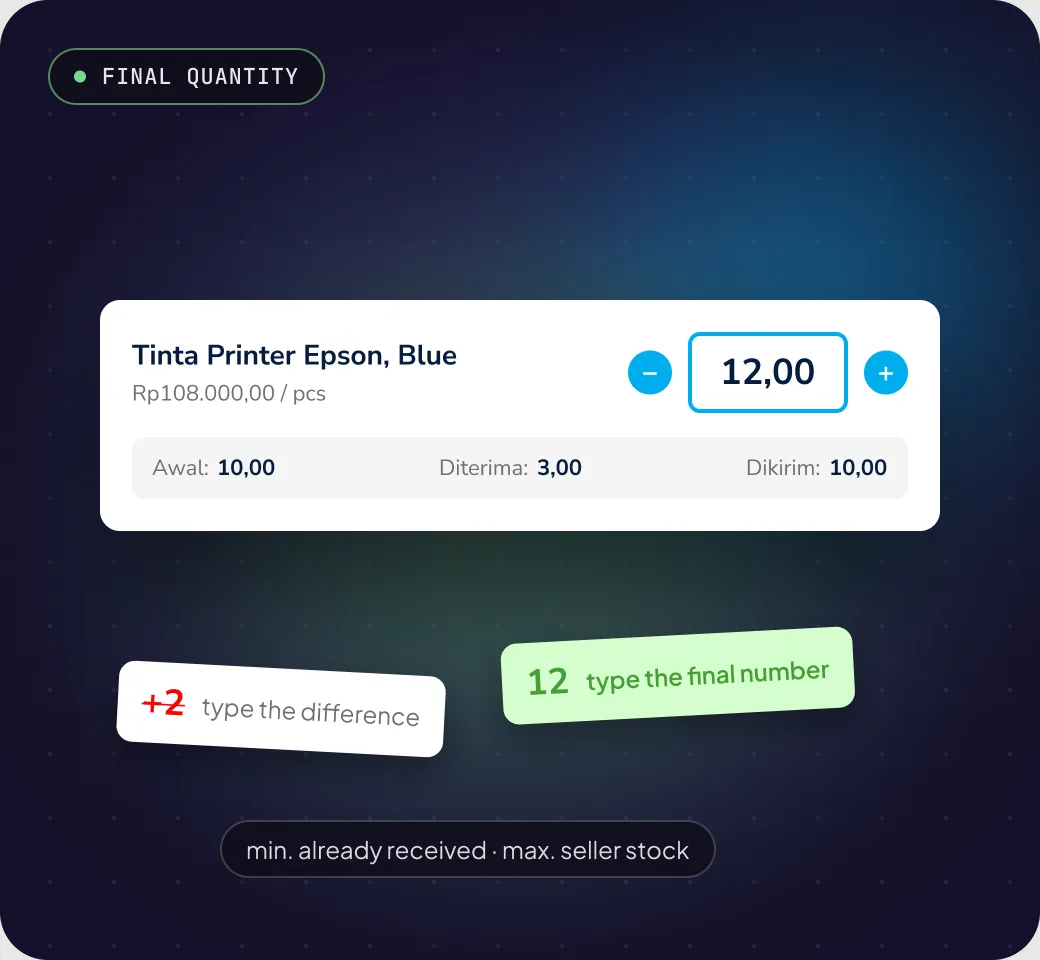
Decision 1: Type the final quantity, not the difference.

Illustration made for this page from the design file.
02

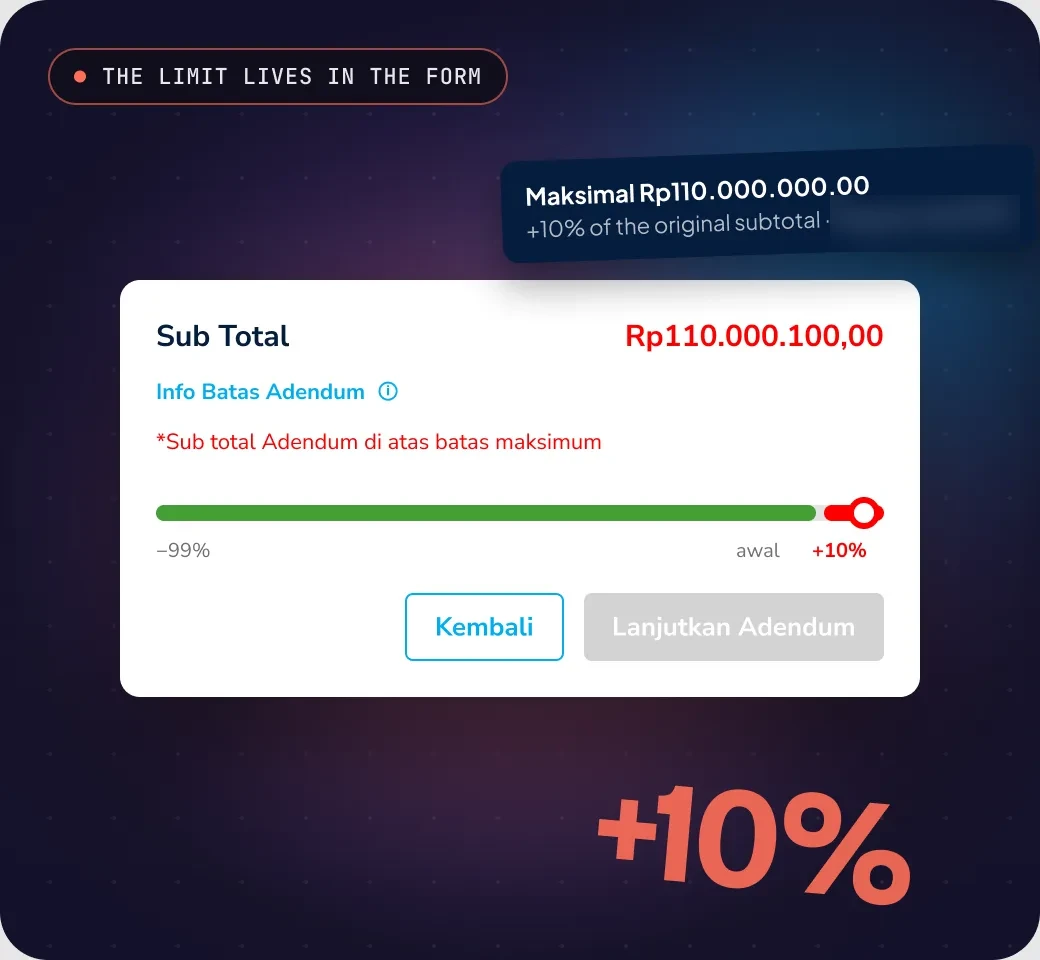
Show the limit before people hit it.

The call
An “Addendum limit” hint next to the subtotal shows the maximum value. Go over it and a red message appears right there, and Continue locks.
Why
Showing the room to move while editing avoids rejecting a finished form.
For comparison
Validating only after submit.
Trade-off
The form gets denser, so the limit lives in a tooltip and only gets loud when it’s broken.
Decision 2: Show the limit before people hit it.

Illustration made for this page from the design file. One label is blurred.
03

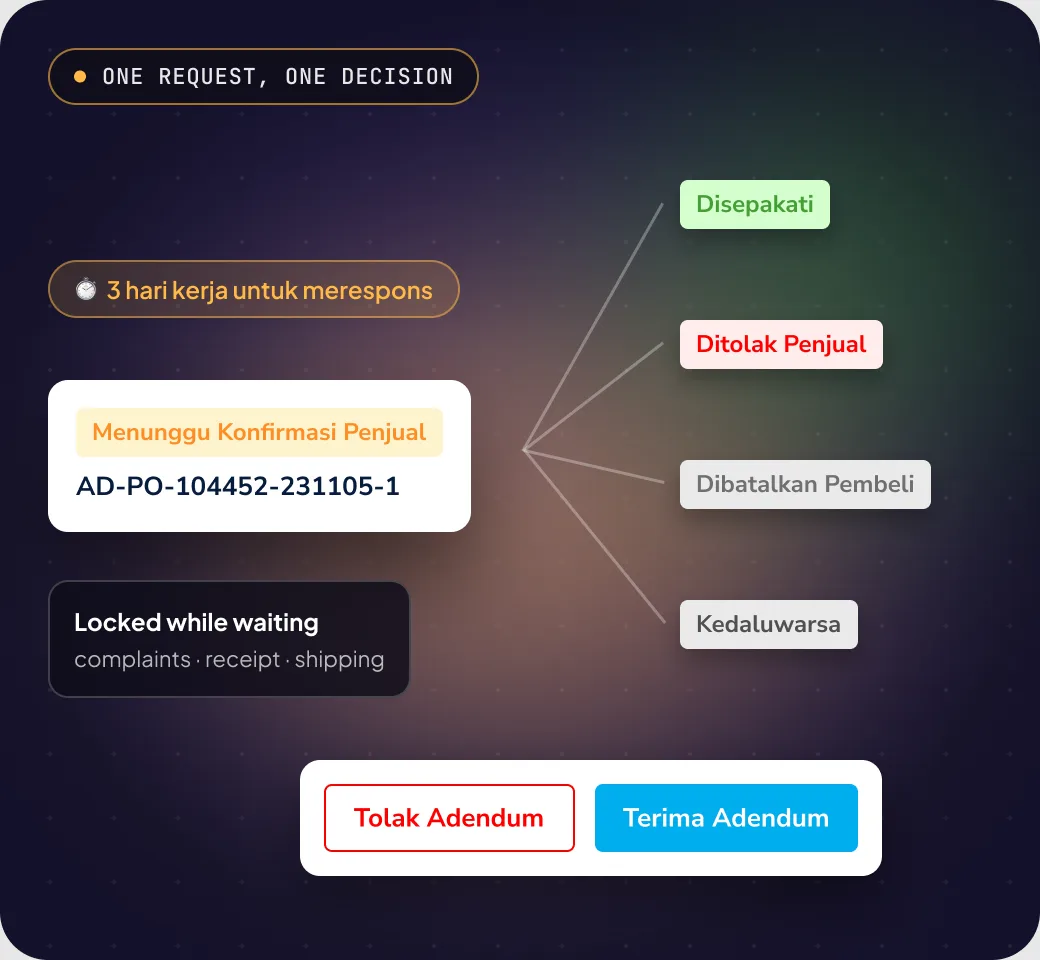
Sellers accept or decline, nothing in between.

The call
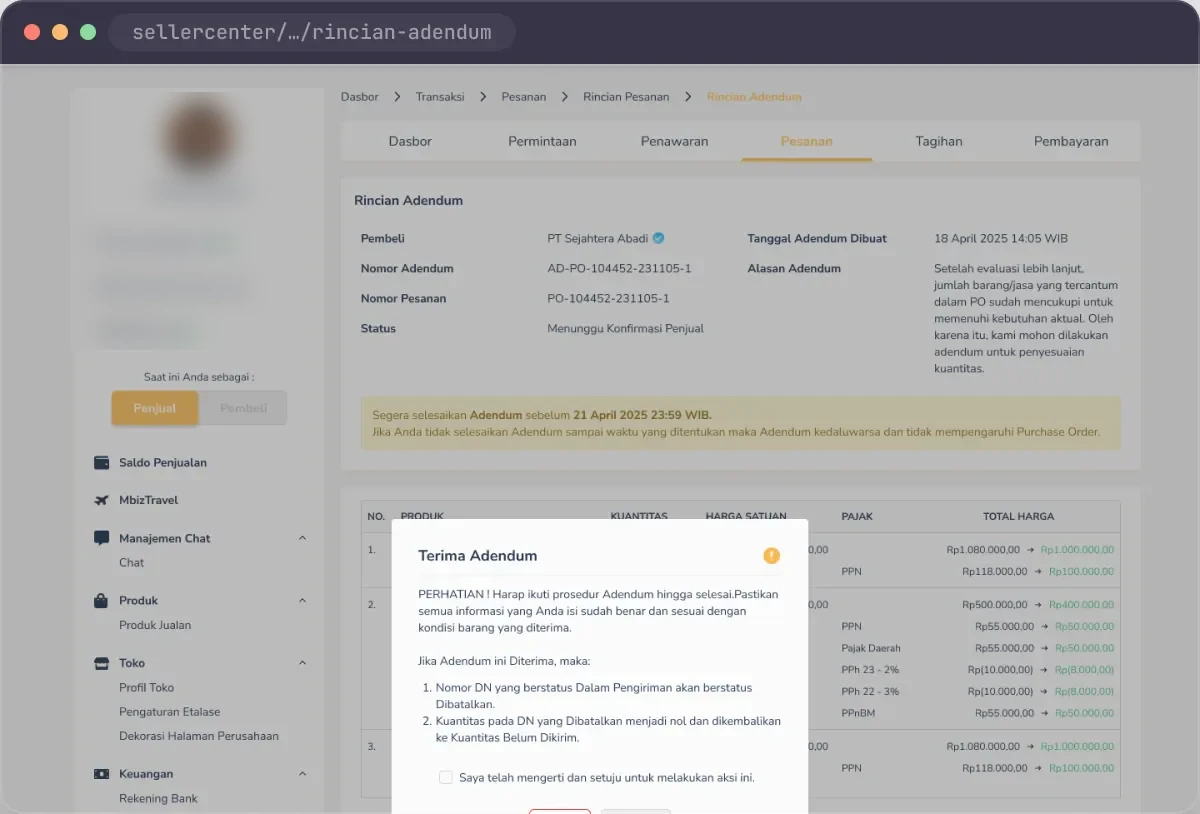
Sellers can’t edit the addendum. Order and invoice data only change once the seller accepts, within 3 working days. While a request is pending, other actions on the order are locked.
Why
One request, one decision, one record keeps the status easy to follow.
For comparison
Letting sellers counter-propose a different quantity.
Trade-off
If the seller wants a different number, they decline and the buyer sends a new request.
Decision 3: Sellers accept or decline, nothing in between.

Illustration made for this page from the design file.
Testing & results

QA, outcome and what to measure.

My QA role, what the design covers, and the indicators worth tracking. Production metrics are not included in this case study.

QA

UI and UX review

I reviewed the UI and UX during QA.

Design scope

Addendum flow

Request, seller response, five statuses, locks while pending and the addendum document are covered in the design and the feature documentation.

Measure next

Completion and errors

Requests completed, input errors, and POs still cancelled just to change a quantity.

Looking back
Today Addendum changes quantities. The pattern can carry more.

Delivery schedule and price are natural next candidates: a limit you can see from the start, one decision from the seller, and a document the system writes.

Screens

From the buyer’s form to a signed document.

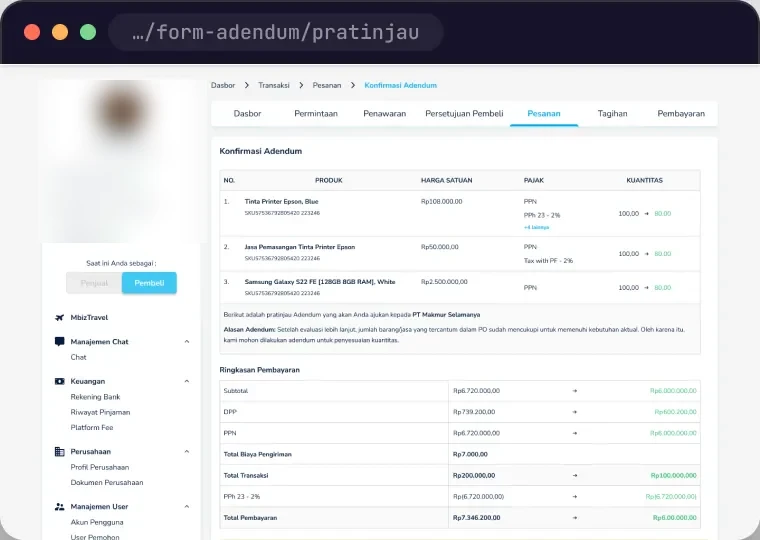
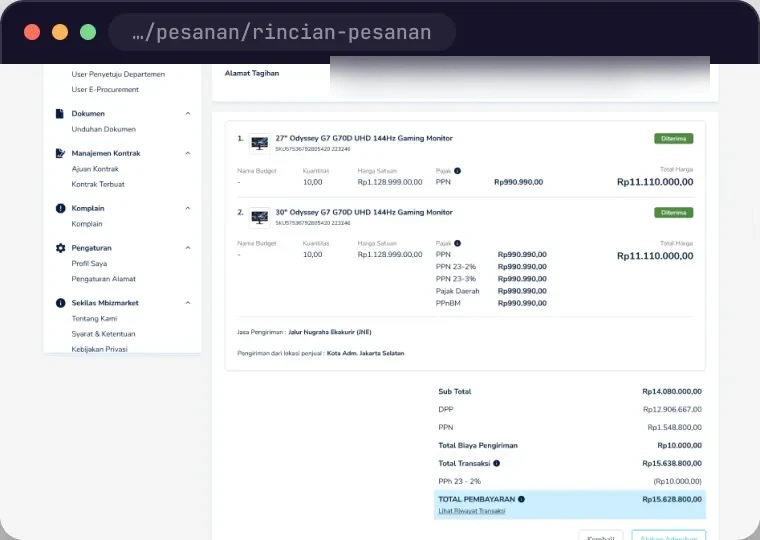
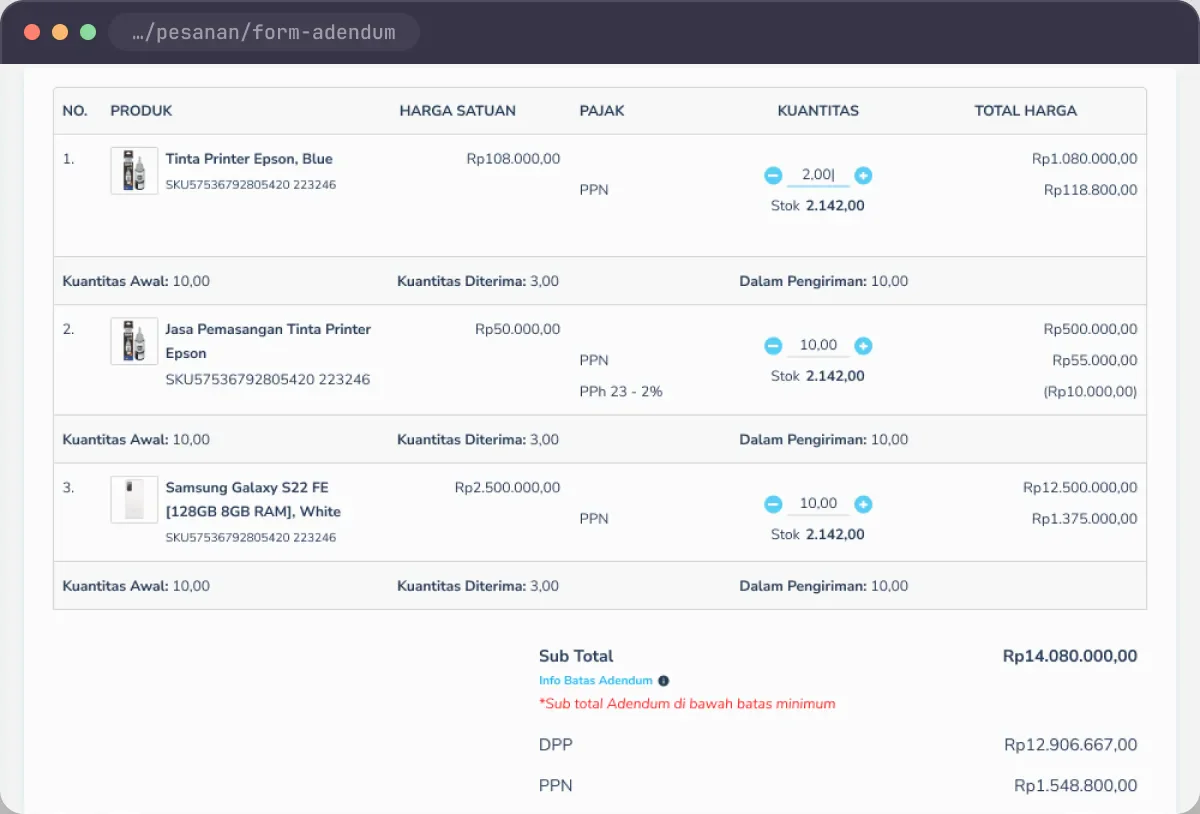
Screens from the Addendum design file, shown in browser frames. User details and addresses are blurred.

Addendum form · buyer
01Addendum form · buyer
Responding · seller
02Responding · seller
Preview before sending
03Preview before sending
Agreed PO
04Agreed PO